


An Honest Dash Robot Review
This Dash robot review is based on my own experience using Dash robots in STEM camps and classes to introduce coding and robotics to elementary and middle school students. If you’re a parent, teacher, or grandparent shopping for a first robot kit or already have your eye on Dash, this review is for you.
NOTE: Black Friday 2026, the Dash robot is on sale at Amazon. You can view it here. (afflink)
To be fully transparent, I wasn’t paid to write this review, and I didn’t receive any free products. The review is based on my actual use of Dash robots in a STEM class setting. This post contains Amazon affiliate links. As an Amazon Associate, I earn from qualifying purchases.
This review has been rolling around in my head for several months. With the holiday shopping season coming up, I wanted to share what I’ve learned from using Dash with students in 3rd through 8th grade.
What is the Dash Robot?
Dash is a programmable robot from Wonder Workshop, who is now owned Moravia Education.
The robot comes preassembled and connects via Bluetooth to a laptop, phone, or tablet. Bluetooth is turned on in the programming app when the robot is paired with your device or laptop. The pairing process is super easy, and kids will know it’s not paired because their code won’t run!

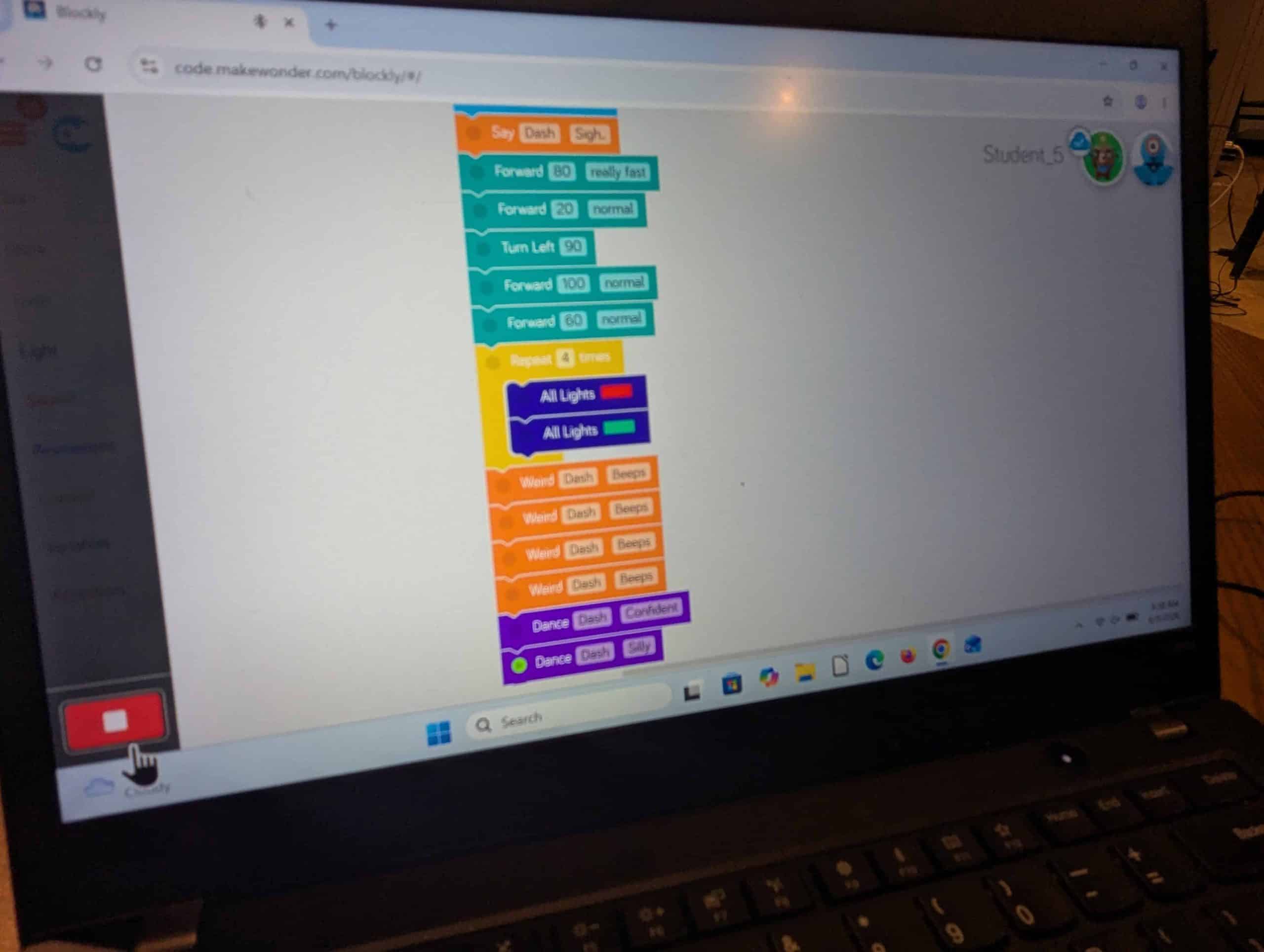
The Dash robot is programmed through a drag-and-drop program called Blockly. Blockly is free and super-intuitive. Dash does work with other software, which is listed here on the Wonder Workshop site.

With Blockly, your child will drag and drop blocks to give the robot instructions. For example, they can tell Dash to roll forward, turn left, and play a sound. Then they tap Run and watch Dash follow those instructions in order.
I have found in my classes that the students caught on quite quickly to the concept of pairing! 🙂
Also, Dash can run two ways: students download their program into Dash via Bluetooth, or they simply click Run and the program runs via Bluetooth from your laptop, tablet, or phone.
Students can also program the three buttons on top to start the program when they press the button. Students like that option a lot, especially when we had challenges. They cold run and rerun their program without having to go back to their laptop and press the Run button.
That’s one of the things I like about Dash. Kids can see their code in action. If Dash turns too soon and misses part of their mission, the student can see what’s happening with the code on the screen.

Can You Use the Dash Robot with Python?
Yes, you definitely can. You will need to use Blockly Pro. In fact, with Blockly Pro, you can switch between Blockly, JavaScript, and Python views for the same program, define functions, and test code using Virtual Dash, even without a physical robot or with one.
Is the Dash robot worth it?
I think Dash is worth it for kids in fourth grade and up, as well as some third graders who are ready for a coding challenge. They can start by dragging and dropping blocks to tell Dash what to do. As they become more comfortable, they can put more commands together and tackle more challenging projects. There’s definitely room for your child to grow with the robot.
The Dash robot is on sale for Black Friday 2026 here.
What do you base your opinion on?
Over the years, I’ve worked with several robotics kits, including LEGO® WeDo® 2.0, LEGO® Mindstorms® – EV3, Bee-Bots®, the mBo®t, and a kit similar to one from ELEGOO®. It’s been years since I used the ELEGOO-style kit, but I think both it and the mBot are good options for kids ready for the next step in robotics.
Dash was at the right price and had the right level of complexity for our camps. Bee-Bots would have been too basic for the ages I was teaching, and I didn’t find a LEGO kit that met our needs at the time. When I taught robotics in Southeast Asia, we used LEGO® WeDo® 2.0. I liked that kit, and it was disappointing to see it discontinued about a year later.
What coding program do we use with Dash?
We used Blockly®, a free app with a drag-and-drop interface. Kids put blocks together to create a program, then run it to see what Dash does. This is the app I’d start with.
This runs on Chrome, Chromebooks, iOS, and Android (phones and tablets).
Can you Attach Lego Pieces to the Dash Robot?
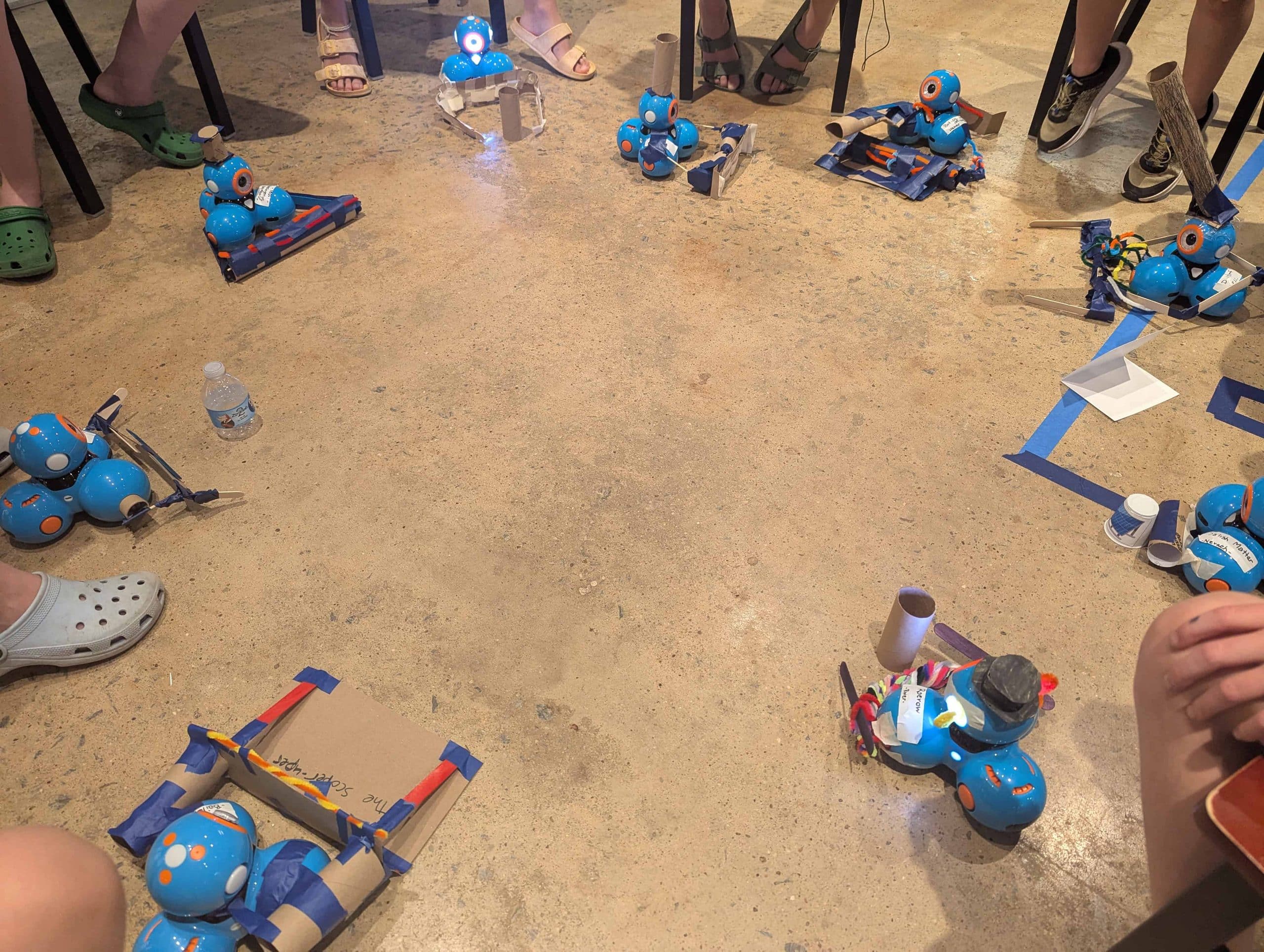
Yes, you sure can. Each Dash robot comes with two pieces that pop on to either side of the robot. From there, you can attach LEGO-type bricks. Of course, this brings endless possibilities to the robot’s adventures!
What age is Dash best for?
In my STEM camps, fourth grade and up was the sweet spot. Some second- and third-graders may be ready, too. But you may need to work alongside them.
I’d look at whether your child can follow a short sequence and use the words or symbols on the blocks to figure out what each command does.
If you’re using Dash at home, a younger sibling can work alongside an older one. There’s plenty of fun in making the robot dance or play music together!
The younger child may need more time and practice before they’re ready to put together a program on their own.
On the first day of camp, my oldest students opened the software, turned on their robots, and started coding within about five minutes of watching a short intro video. Once they saw how the blocks worked, they were ready to try things for themselves.
My advice: give your kids time and room to explore and try their ideas. Once they have the basics, you can start helping them learn about if, then statements and looping programs. I cover those in classes, but only after the kids have had about 4 hours or so of coding. Plus, they need to understand the logic of an if-then statement.
How much does a Dash robot cost?
Note: For Black Friday 2026, the Dash robots are on sale at Amazon!
When I was shopping, a new Dash robot was about $190 through Wonder Workshop or Amazon. We bought ours on eBay. The listing said it came with a working Launcher and a Sketch Kit, but the Launcher was missing some key pieces.
If you’re shopping for a used Dash, look closely at what’s included and ask for photos of the accessories. If this is your first Dash, I’d lean toward buying new from Wonder Workshop or Amazon.
How hard is Dash to set up?
Dash is easy to set up. Wonder Workshop has tutorials on its website, and I’m putting together a setup guide based on the directions I give parents in our classes.
I set up an online classroom for each of our groups. If you decide to set one up for your family, you can add your children and have them sign in with a classroom code.
On the first day of class, I had four projects planned, each a little harder than the last. We hit a traffic jam on our network while everyone was signing in. By the time I got the last students logged in, the first few had about a 20-minute head start.
I turned around to get everyone started on project one, and those first four or five students had already worked through the basics and were ready for project three!
These were kids who had never worked with a robot before. It was a good reminder for me that sometimes we just need to give kids a little room to explore and see what they figure out.
Why Did You Select Dash Over Other Robots?
I’d read positive comments about Dash in teacher groups, so I bought one on eBay to try it myself. It felt sturdy and was easy to use. Both mattered to me when choosing a robot that would get a lot of hands-on use at camp.
With LEGO robotics kits, I’d also had to consider the cost, the availability of retired sets, and the possibility of a build coming apart mid-mission. I still like WeDo 2.0 and would happily use it again if I could get a set. For these camps, Dash was the best fit for what I wanted the students to do.
I see some accessories like the launcher and sketch kit. Are they worth it?
I’ve used the sketch kit, the launcher, and the grabber arm. The kids LOVE the launcher. It works well, and they quickly learn that attaching and adjusting it precisely before launch matters. It’s a great engineering lesson in designing for a consistent outcome!
The grabber arm wasn’t too difficult to assemble, but it was so frustrating for the kids to get to work. I had issues with it too. I’d skip it.
The sketch kit is fun. We used a whiteboard as the surface for drawing. To be honest, the kids weren’t that into it. I only have one of those sketch kits and rotated students in and out of the station. They would each try it a few times, then leave. They absolutely loved programming the challenges we gave them and the launchers.
Where Can I Purchase?
During Black Friday 2026, you can purchase on Amazon for 15% off.
How long does it take to go from opening the box to running your first program?
If you order one of these, I’d get familiar with the setup before it arrives. Your child will probably want to get started as soon as that box is open! Download Blockly, watch a couple of Wonder Workshop’s setup videos, and set up a family classroom if you plan to use one.
When Dash arrives, make sure it’s charged, turn it on, open the app, and pair the robot. If you set up a family classroom, have your child sign in. I’d allow anywhere from 15 minutes to an hour to get set up and run that first program once the robot is charged. It depends on how much you do in advance.
Do I need to know how to code?
No! Blockly is easy to explore, and Wonder Workshop’s tutorials can help you and your child get started. Try putting together a few blocks, run the program, and see what Dash does. You can learn right alongside your child.
What is pairing?
Pairing connects Dash to a compatible computer, phone, or tablet so the robot can receive commands from the app. That connection uses Bluetooth. Once Dash is turned on, you can connect to it from the app. In our camps, we were able to get started without installing an update.
Can my kids share a robot?
I’d put at most two kids on one Dash, especially if they’re working on a class project. I’ve seen this with LEGO robots. One child ends up doing most of the programming while another sits back. Sometimes that child is already thinking, “I’m not a science person,” or “I don’t know how to code,” and they don’t give themselves a chance to try.
I’ve had reluctant, shy students get some time on their own with a Dash robot and put together a seven-minute dance and music routine in about ten minutes. I love seeing what kids come up with once they have the chance to try it for themselves!
My child struggles to read. Can they still program a Dash robot?
Yes! I’ve had struggling readers do great with Dash. The Blockly interface uses symbols and simple words, and kids can run a few blocks at a time to see what they do. I found that using some of Dash’s easiest and “coolest” features, like playing music, dancing, or changing light colors, are an easy “win” and students who were shy to start, quickly gain so much confidence!
Is Dash a family activity?
Yes! Set up an obstacle course for your kids or let them come up with a challenge for you. We used paper plates and plastic cups to do some of our beginner obstacle courses. Masking tape helps create boundaries they must stay within as they navigate tight spots around a cup without touching it. You can make the mission parameters increasingly challenging.
Or you can use parameters like, push two cups forward, then go back to the base and move one more cup. They have some options: will they go straight forward and straight back? Will they make a turn? Will they use the code to look for an object in front of them when the go to retrieve the third cup? As they get increasingly better at coding, they can then move onto using some of the sensors.
For example, have your kids build a city using materials you have around the house or a building set. Then challenge them to program Dash to deliver the mail from one side of town to the other.
Or put your kids in charge of getting the silverware from one spot in the kitchen to the table. Can they rig up something for Dash to pull or push? Can they program it to stop in just the right spot?
Is there anything you didn’t like about the Dash robot?
At this point, I cannot think of anything that hindered us in any way from using our Dash robots consistently and properly. I do wish they had a grabber arm attachment that worked better than the current design. Otherwise, I do prefer this robot kit over any others for the 3rd grade and up for students who have never programmed before or for students wanting to learn Python.
I also recommend for classrooms or camps. We set up an overnight charging station, and the kids were responsible for plugging in their robot before leaving for the day.
Where Can I Buy a Dash Robot?

I hold a master’s degree in child development and early education and am working on a post-baccalaureate in biology. I spent 15 years working for a biotechnology company developing IT systems in DNA testing laboratories across the US. I taught K4 in a private school, homeschooled my children, and have taught on the mission field in southern Asia. For 4 years, I served on our state’s FIRST Lego League tournament Board and served as the Judging Director. I own thehomeschoolscientist and also write a regular science column for Homeschooling Today Magazine. You’ll also find my writings on the CTCMath blog. Through this site, I have authored over 50 math and science resources.