


TechBox Kit Review & Giveaway
One thing I love about homeschooling is having the freedom to give my kids experience with many different disciplines to help them decide more about their futures. One way I do this is through trying different types of educational kits.

So, when we were given the opportunity to try the TechBox kits, I was ready to find a kit that was truly kid/teen-friendly.
In the past, my kids have tried kits that taught them about STEM and coding. My oldest, who is in eighth grade, also tried a kit to learn about wiring, but with no luck. The kit was too complicated, and the instructions were very unclear. After struggling with the kit a few times, we both gave up and moved on.
But, this all changed with the TechBox kit!
The TechBox experience was completely different for us than our past kit experiences.
My son independently completed the piano kit shown. The instructions were clear and easy to follow. Plus, he gained some real-world and foundational electronics and programming skills.

What Is TechBox?
TechBox is a company founded by two friends who realized they had little knowledge of foundational electronics and programming when they entered college.
So, they wanted to provide middle and high school teens a resource to get these technical skills in a hands-on and non-frustrating way. TechBox has put together a series of engaging, real-world experience, easy-to-use kits..
Parents, you do not need prior electronics or coding experience to incorporate these into your homeschool.


The instructions are all video-based, the parts are easy to manipulate, and your teen will learn some of the basics of how electronics work, like the wiring on the enclosed LED module. Let’s dig into our family’s experience.
Also, if you review the available kits on the TechBox site, notice how each kit teaches a different concept, including animation, memory storage, servo control, object sensing, game elements, and more.
What’s Included in a TechBox Kit
The instructions were the first difference we noticed that sets the TechBox kit apart. As we opened the box, the three overall steps were on the inside top, and a QR code to a link to access step-by-step video instructions!
This meant we would not have to keep track of a piece of paper or card with this information. Finding the instructions and getting right to the library of accompanying videos was easy. (How many times have we lost the instructions to a game or kit our children were using?!)
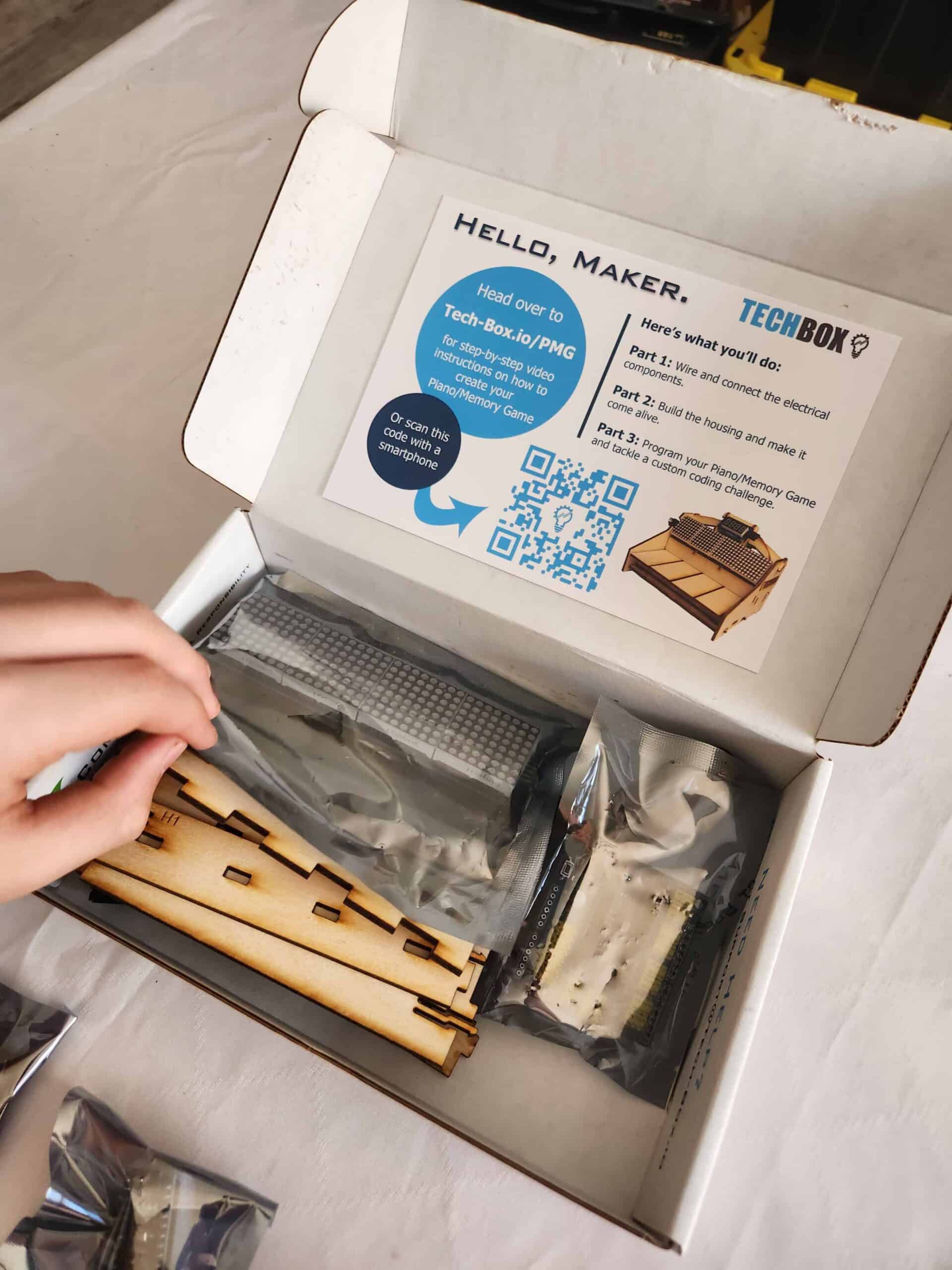
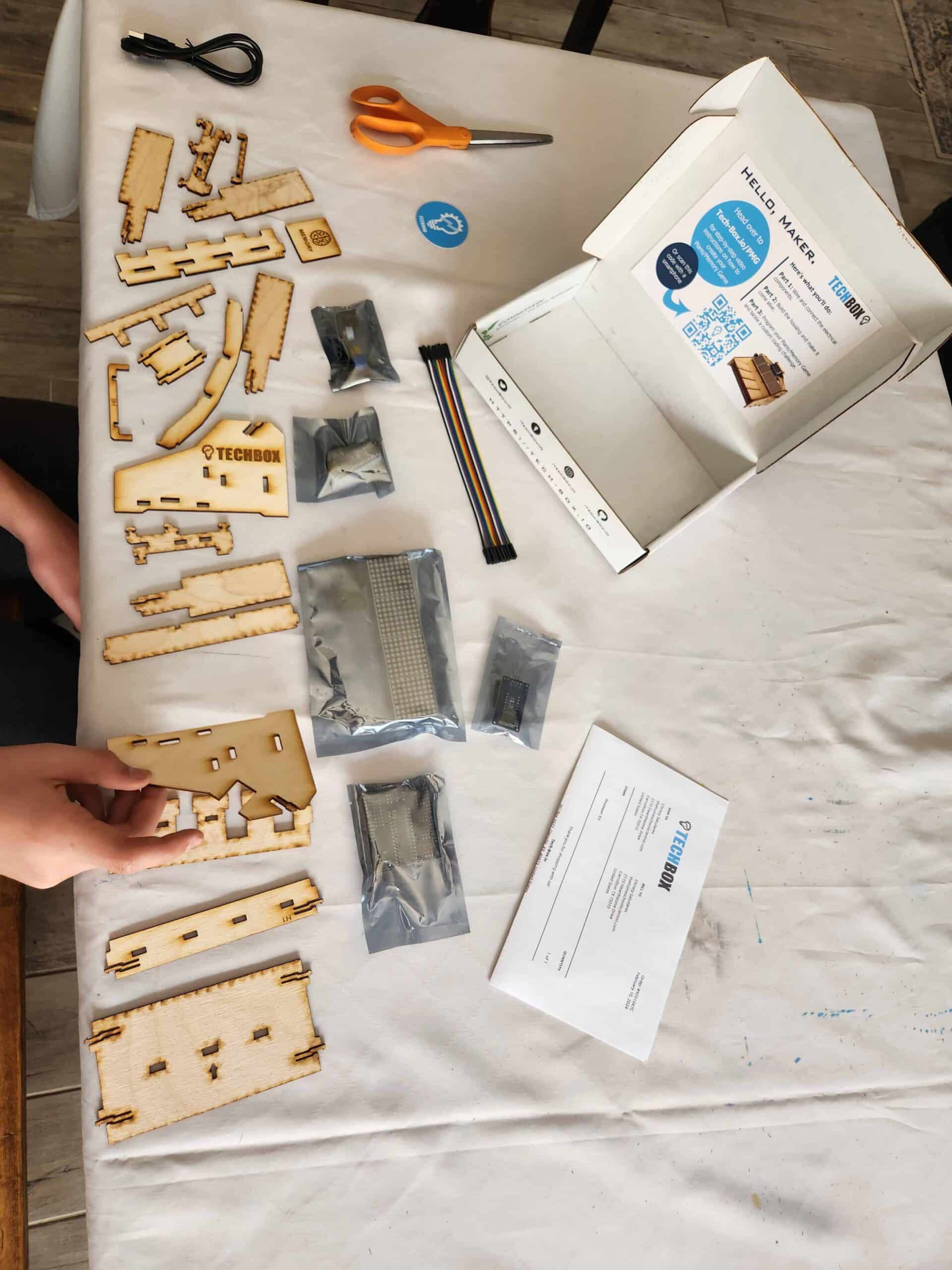
Before my son started the videos, he first did what we always do when we get a kit box: He laid out all the parts in the box and verified that all the pieces that were supposed to be in the box were there.
The wooden parts that looked similar were assigned unique part id numbers so he could tell them apart. These unique id numbers are also used in the video instructions. Again, another feature that helps make this kit easy for students to use independently.
The only item we had to provide was a pair of scissors for opening the sealed packages for the electronic boards.
After verifying that all the pieces were there, my son scanned the QR code, and he was directed to video instructions for the first step.
Now, you can either access these instructions on a phone, tablet, or laptop. If your teen has a phone or your school laptop is in use, then they can access the instructions right on their phone.
If your child prefers seeing a bigger view of the videos, then viewing the videos on the laptop is the way to go.
What we loved is not only the very clear instructions in the videos, but the navigation.
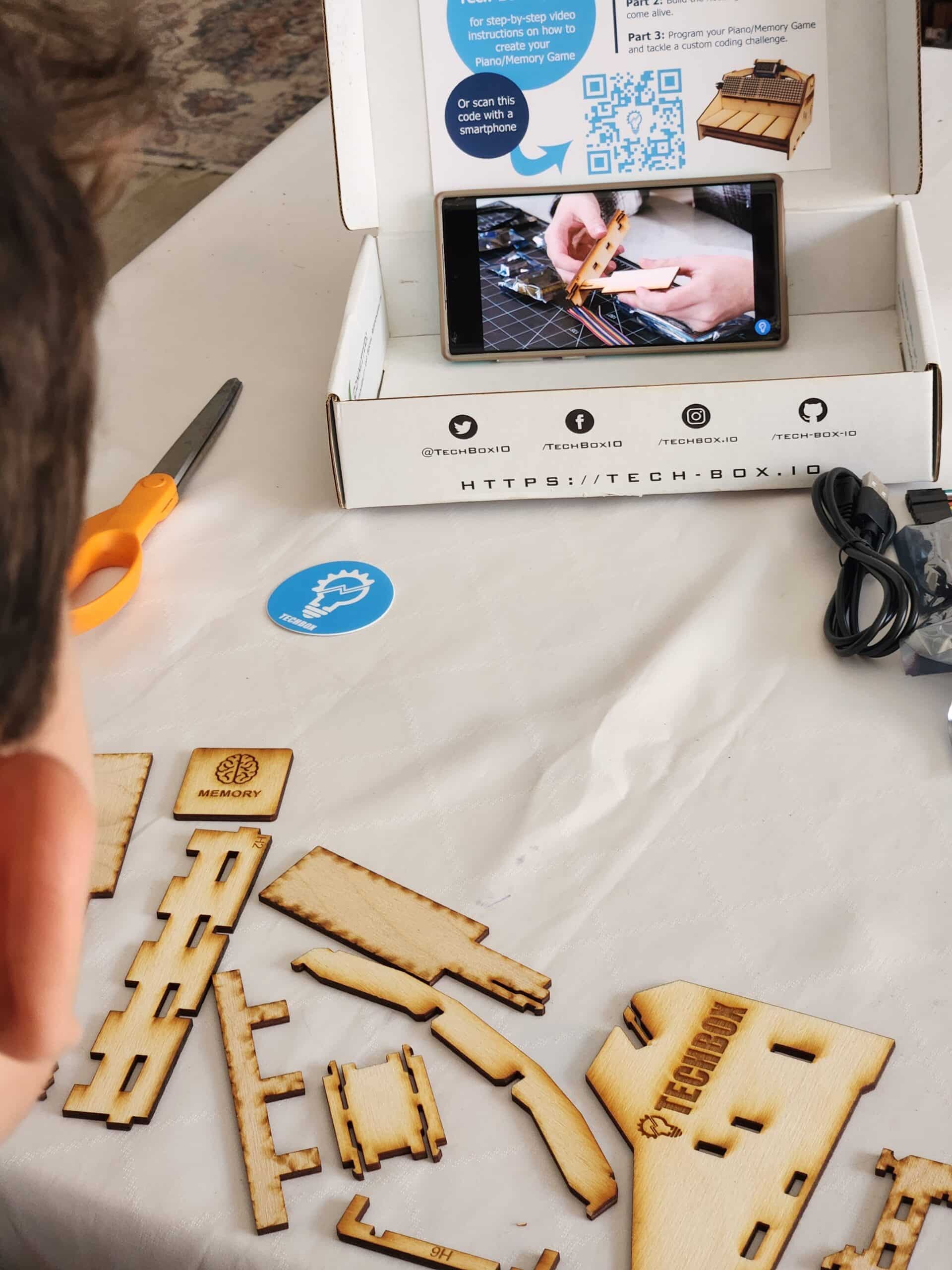
This was so different from the previous boxes, which only included physical, written instructions. But the TechBox videos provided my son with so much more clarity as to what each step involved. Instead of interpreting what each step meant, he could play, pause, and replay any confusing steps.
Take a minute to watch this short tour of the instruction layout. If you’re a parent or teacher with little to no experience with electronics or programming, your teen can complete this kit following the video instructions. There are some features in the instruction navigation that make it very user-friendly.
Check out the video.
Working with the TechBox Kit
The first step involves to constructing four buttons, then connecting them to a small motherboard. While my son found this step easy to complete, he did have some difficulty keeping one connection in place. He was finally able to keep the connection and complete the project.
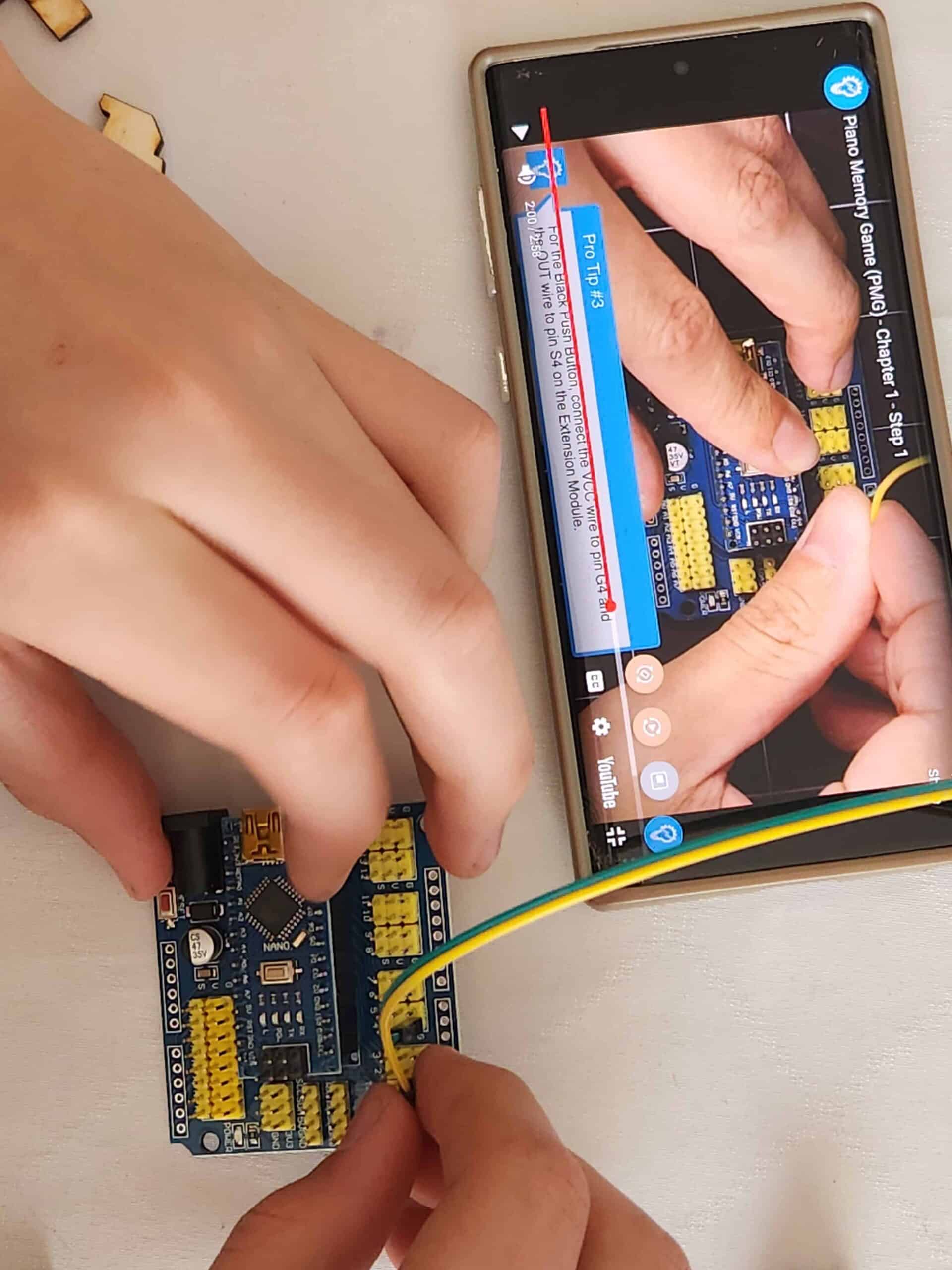
Next, my son followed the video instructions to connect the buttons to a small motherboard. This step involved a few details my son had to figure out using the video instructions, but eventually figured it out.
Your student will understand the inner workings of electronics that they use every day or see in stores.
Our local science museum has buttons that visitors push to light up a display or start an audio recording. So, now, your teen can explain what might be happening “behind the scenes” of these push buttons!

Next my son followed the instructions to connect the motherboard to a small display.
The instructions for this part explain LEDs and how the individual sections of lights are controlled so different sections can go on and off.
We learned real-world terms like LED array, breadboard wires, module, 8 x 8 array, and more.
It reminded me of large scoreboards at ball games and how those lights are controlled to display messages, logos, numbers, etc. The digital counter in the next step is the same.
The next time we see a digital light display, we can understand the underlying electronics that are controlling which lights are on and which are off!
The final electrical instructions led my son through adding a digital counter to the circuit.
You can see the counter/clock that is hand and the display board on the table.
The TechBox kits are teaching our teens about I2C communications, digital inputs and outputs, and microprocessors.
The founders of TechBox want to give middle and high school kids an opportunity to experience these STEM concepts BEFORE graduating high school. Their kits certainly do this. And, homeschool parent, you don’t need prior experience.

Once the circuit was complete, he built the piano frame on which the digital display would sit. This task was a little tricky, but eventually, my son was able to get all the pieces to fit.
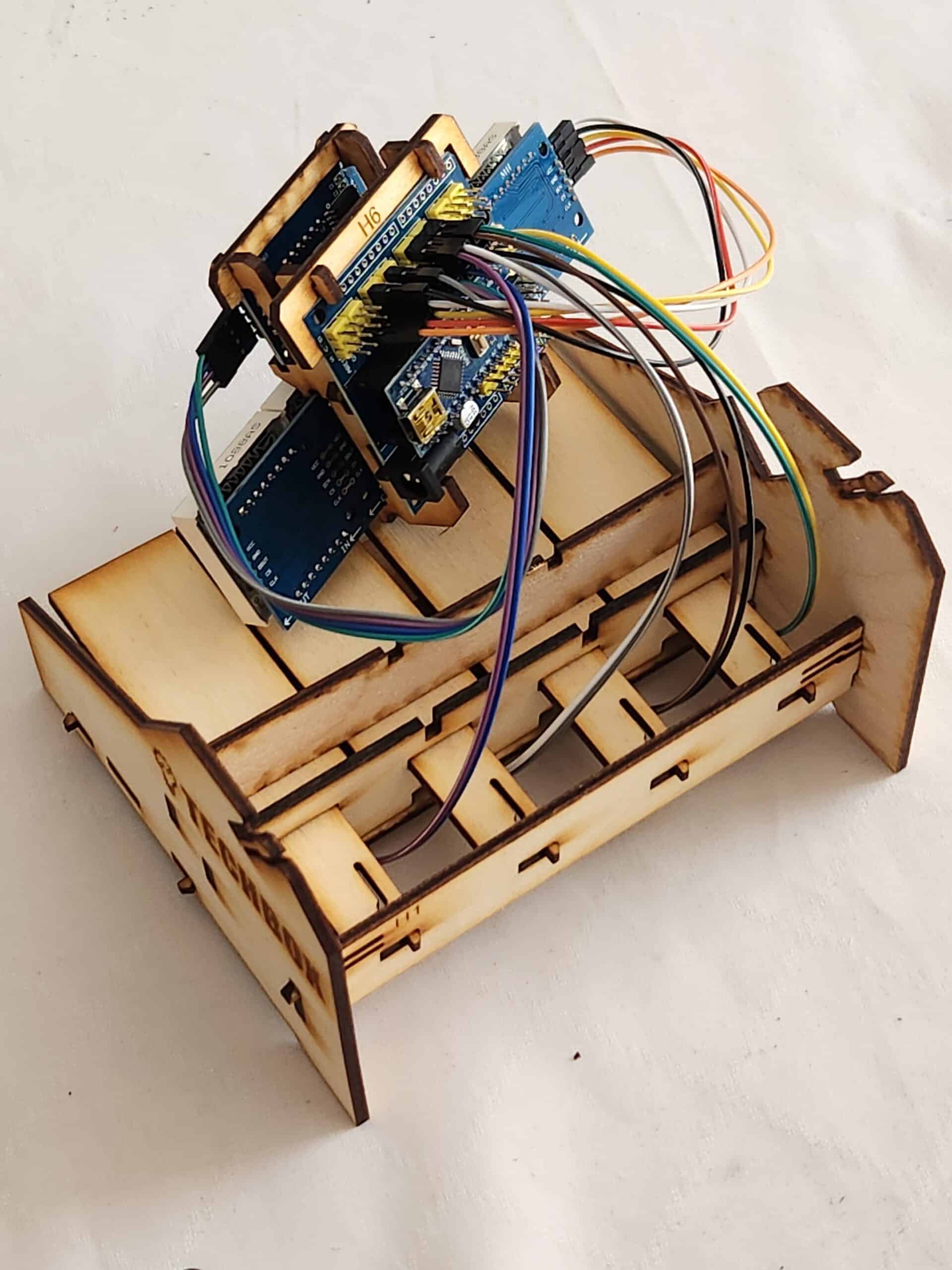
Once the piano was built, he then mounted the digital display and counter. He then plugged in the provided power cord and started playing!
While he was playing with the piano, my younger two sons couldn’t help but be intrigued by what their brother had built. My son took the time to teach his little brothers about the piano and how the games worked. He even let them both try out the games.
What We Like About the TechBox Kits
The piano was such a hit, that both little brothers brought it to our community day and shared about it with their classes. I loved watching them both beam with pride as they described how their big brother built and programmed the piano.
Here are some of the positive features of TechBox kits:
- Parents and teachers do not need to have prior knowledge of electronics or coding.
- Students are taught using real-world components and learn real-world vocabulary.
- The pieces are well marked, especially the pieces that look similar so that they are differentiated.
- Each kit teaches a specific STEM principle so that students get hands-on exposure and experience while still in middle and/or high school.
- Everything you need (except scissors) is in the box. You don’t need to purchase anything additional.
- The instructions are in video form so students can review a step as many times as needed.
- Students have to check off each step they complete to ensure they don’t miss a step and get frustrated.
How to Add TechBox Kits to Your Homeschool
There are a variety of TechBox kits and a subscription could easily fit into your homeschool plans in several ways:
- Use as a monthly STEM project for your middle or high school student
- Integrate it into a current coding course your teen is completing as part of their course of study
- Start a STEM club with several other families where the teens get together once a month, bring their own TechBox kit and put them together.
- Enjoy a monthly family STEM time on the weekends
- Start a STEM shelf to your homeschool area, include the TechBox kits, biographies, or other hands-on building materials like cardboard, tape, recycled materials.
- Lead a co-op class where each student has their own TechBox kit
The TechBox was by far our family’s favorite electrical kit. While my oldest was challenged by some of the complex parts of the circuit, the video instructions provided the clarity he needed to understand each step. If you have middle school aged children interested in learning about circuits, TechBox is a great addition to any homeschool!
Where to Purchase TechBox Kits
The piano kit we were sent to review is just one of many kits offered by TechBox. Visit their site to learn more about their kits and view all the choices!
Here is where you can find them:
Enter the Giveaway for a TechBox Kit
TechBox is giving away winner’s choice of a TechBox kit to two winners! Use the entry widget below to enter. (You do not need to provide your last name or date of birth.)
Several of the entries you can do daily! We will notify the winner via email, so check that email address. 🙂 Also, the winner has 10 days to respond to the notification email. On day 11, we will forfeit that winner and select a new winner.


I hold a master’s degree in child development and early education and am working on a post-baccalaureate in biology. I spent 15 years working for a biotechnology company developing IT systems in DNA testing laboratories across the US. I taught K4 in a private school, homeschooled my children, and have taught on the mission field in southern Asia. For 4 years, I served on our state’s FIRST Lego League tournament Board and served as the Judging Director. I own thehomeschoolscientist and also write a regular science column for Homeschooling Today Magazine. You’ll also find my writings on the CTCMath blog. Through this site, I have authored over 50 math and science resources.